Let’s say we added a 20G disk that needs to be encrypted and configured so that it is automatically mounted by the system using a key file. (it is assumed that the system is also located on an encrypted disk)
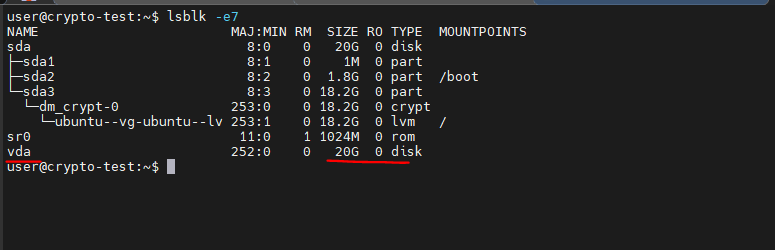
1. Check the list of disks (we are interested in the vda disk):
lsblk -e7
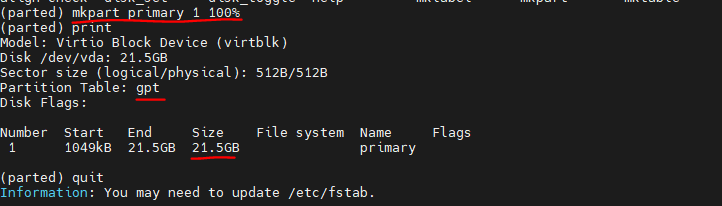
sudo parted /dev/vda
mklabel gpt
mkpart primary 1 100%
3. Generate a 2048-bit key
sudo dd if=/dev/urandom of=/root/secret.key bs=1024 count=2
4. Change the file’s read-only permissions to the owner:
sudo chmod 0400 /root/secret.key
5. Create a LUKS partition using the created key:
A warning about data destruction will appear. Enter YES in capital letters.
sudo cryptsetup luksFormat /dev/vda1 /root/secret.key
Important:
When third parties try to access your disk, they need to have a key to decrypt the data on the disk. Don’t tell anyone the path to the key.
6. Before using a LUKS partition, you must display and format it correctly. To do this, first use the luksOpen option, which creates an I/O device that allows you to interact with the partition:
sudo cryptsetup luksOpen /dev/vda1 secret --key-file=/root/secret.key
The LUKS I/O device is now available in /dev/mapper/secret.
7. Next, specify the size of the LUKS partition (the maximum size will be used without parameters), or if it starts asking for a password, use this command
sudo cryptsetup resize secret --key-file=/root/secret.key
8. Making the file system ext4
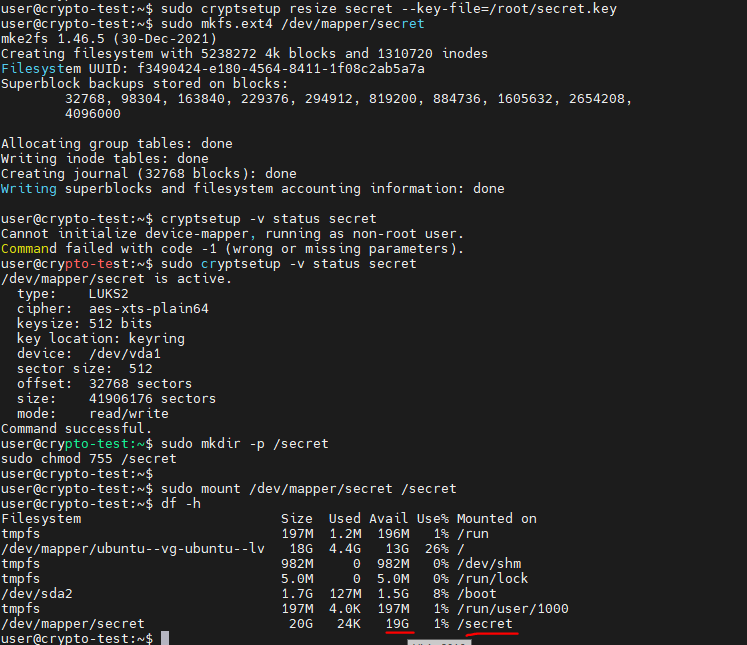
sudo mkfs.ext4 /dev/mapper/secret
9. Check the status and key slots
sudo cryptsetup -v status secret
sudo cryptsetup luksDump /dev/vda1
10. Mounting the LUKS partition:
sudo mkdir -p /secret
sudo chmod 755 /secret
sudo mount /dev/mapper/secret /secret
df -h
Automatic mounting
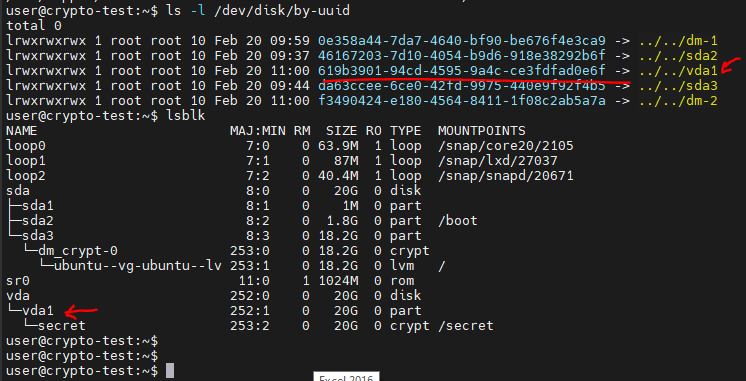
1. First, find out the UUID for the encrypted partition:
sudo ls -l /dev/disk/by-uuid
lsblk
2. Change your account to root
3. Export the variable (your value will be different):
export UUID="619b3901-94cd-4595-9a4c-ce3fdfad0e6f"
4. Add the key link to the /etc/crypttab file:
echo "secret UUID=${UUID} /root/secret.key luks" >> /etc/crypttab
5. Finally, create an entry in the /etc/fstab file for automatic mounting:
echo "/dev/mapper/secret/secret auto" >> /etc/fstab
6. Mount
mount -a
7. Reboot and check